Stop Spam Calls on Android: Every Method Ranked
Quick Answer
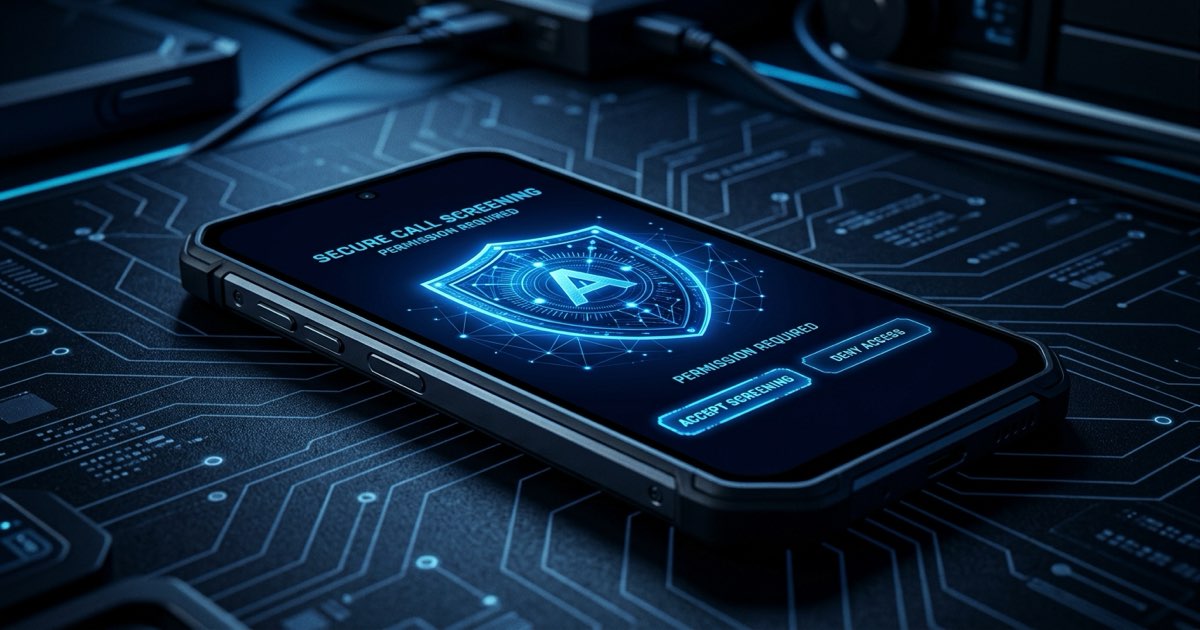
To stop spam calls on Android, rank your defenses from carrier filters (basic) to Google Phone spam protection (moderate) and dedicated call screening apps (additional). Dedicated call screening apps add another layer by reading the carrier's STIR/SHAKEN verification status as reported by Android and blocking or silencing flagged numbers.
There are five meaningful ways to reduce spam calls on an Android device. By configuring the native Android ROLE_CALL_SCREENING settings or applying OEM steps for blocking spam calls on Samsung Galaxy, you can intercept unwanted calls. Learn how carrier built-in spam protection compares against on-device screening.
How effective is the National Do Not Call Registry?
Effectiveness: 1/5 — Works only against legitimate telemarketers
Register a number at DoNotCall.gov. Legitimate U.S. telemarketers are required by law to check the registry before calling. Registration takes 30 seconds and is permanent.
The problem: the calls destroying peace are not from legitimate telemarketers checking the DNC registry. They are from criminals — IRS impersonators, Medicare scammers, Social Security fraud rings — who treat the DNC registry as irrelevant. The FTC's own data confirms that the overwhelming majority of complaints filed are from people whose numbers are already registered. The DNC registry is a necessary first step, not a solution.
Privacy cost: None. DoNotCall.gov is a U.S. government service. Cost: Free. Best for: Reducing solicitations from legitimate businesses.
How effective is the built-in Android call screening?
Effectiveness: 2/5 — Labels spam but doesn't stop the phone from ringing
Google's default Phone app on Pixel devices includes a "Call Screen" feature powered by Google Assistant. When an unknown number calls, the user can tap "Screen call" and Google Assistant answers, asks why the person is calling, and transcribes the response on your device.
Separately, the Google Phone app automatically labels many calls as "Suspected Spam" based on its cloud database.
The limitation: neither feature prevents the phone from ringing. A call labeled "Suspected Spam" still rings. A senior who is expecting a call from a new doctor's office, an insurance company, or a grandchild calling from a new number will likely answer it anyway. The label creates a choice that many are not equipped to evaluate correctly under time pressure.
Additionally, the Call Screen feature shares call data with Google's infrastructure, and call logs sync to the Google Account by default.
Privacy cost: Moderate. Call logs sync to Google Account. Call screen data processed by Google servers. Cost: Free (pre-installed). Best for: Users who want basic spam awareness and are comfortable with Google's data ecosystem.
How effective are carrier-level spam tools?
Effectiveness: 2.5/5 — Better than nothing, still reactive
All major U.S. carriers offer some form of spam call protection. The three major options:
- T-Mobile Scam Shield: Free basic tier available to all T-Mobile customers. Automatically labels scam-likely calls and blocks numbers on T-Mobile's known scam list. Premium tier ($4/mo) adds scam block (auto-reject listed scammers) and caller ID. Works at the network level — no app download required for basic protection.
- Verizon Call Filter: Basic call filtering is included free. The $3.99/mo premium tier adds spam lookup and caller ID. Works via network-level filtering before the call reaches the device.
- AT&T ActiveArmor: Free tier provides automatic fraud call blocking and warnings. The $3.99/mo advanced tier adds more aggressive protection. AT&T's network-level system blocks calls it identifies as confirmed fraud before they reach the device.
Carrier tools are useful because they work at the network level — the call may be blocked before it generates a ring event. However, they rely on carrier-maintained databases that are updated with some latency. Fresh spoofed numbers, neighborhood spoofing (where the caller ID matches a local prefix), and newly launched robocall campaigns frequently slip through for days or weeks before enough complaints accumulate to trigger carrier-level blocking.
Privacy cost: Low to moderate. Call data is already available to the carrier by design. Cost: Free basic / $3.99–$4/mo premium. Best for: A useful complementary layer, not a complete solution.
How effective are cloud-based third-party blockers?
Effectiveness: 3/5 — More capable but with data tradeoffs
Apps like Truecaller, Hiya, YouMail, and Robokiller offer more sophisticated spam detection than carrier tools, typically powered by larger crowdsourced databases and more aggressive blocking logic. Some offer features like voicemail transcription (YouMail), answer bots (Robokiller), or comprehensive caller ID (Truecaller).
The tradeoffs vary by app:
- Truecaller: Large caller ID database, but requests READ_CONTACTS and uses cloud caller-ID lookups.
- Hiya: Strong carrier-grade caller intelligence, but cloud processing required. Data shared with mobile carrier partners.
- Robokiller: Does not upload contacts, does not sell data, but call recordings are stored on Bending Spoons servers. Carrier compatibility issues on some Verizon plans. (If looking to avoid call routing, see our guide to Robokiller alternatives).
- Nomorobo: Does not upload contacts, no external data sharing. Cloud blocklist lookups still reach Nomorobo servers on each call.
- YouMail: Full cloud voicemail + blocking stack. Call metadata shared with carrier partners for anti-robocall purposes.
See the complete guide to choosing a private call blocker for the full list of questions to ask before installing anything.
Privacy cost: Varies by app — low (Nomorobo) to high (Truecaller). Cost: Free to $14.99/month. Best for: Users who want more capable blocking and are willing to accept some level of cloud data processing.
How effective are on-device third-party blockers?
Effectiveness: 5/5 — Silent blocking before the phone rings
Apps that use Android's CallScreeningService API to intercept calls on-device — before they trigger the ringer — represent the most effective and secure approach available for Android, as contacts and call logs remain private.
This architecture is possible because Android exposes a dedicated API for exactly this purpose: CallScreeningService allows an app to answer an incoming call before the system rings the device, analyze the call, and decide whether to allow it through or reject it. The entire call-screening analysis happens locally on the device before the phone rings.
Callro uses this architecture as its foundation. The Gauntlet™ Engine runs on the device:
- STIR/SHAKEN attestation verification (reads the carrier's STIR/SHAKEN verification status as reported by Android)
- Behavioral pattern analysis (call frequency, number structure, area code anomalies)
- Spoofed neighbor number detection
- Known spam number matching against an on-device, locally updated database
- When Callro blocks or silences a call, your phone does not ring.
Callro does not request access to your contacts, your phone's call log, or your microphone. Cost: $9.99/month (7-day free trial, no payment info required). Best for: Users protecting elderly parents, anyone who prioritizes complete call silence, people who have evaluated the privacy tradeoffs of cloud-based alternatives and found them unacceptable.
How do all call blocking methods compare?
| Method | Stops Phone Ringing? | Privacy Cost | Cost |
|---|---|---|---|
| DNC Registry | No | Zero | Free |
| Android Call Screen | No (labels only) | Moderate (Google) | Free |
| Carrier Tools | Sometimes | Low | Free–$4/mo |
| Cloud-Based Apps | Sometimes | Varies (low–high) | Free–$14.99/mo |
| Callro (On-Device) | Yes — always | Zero | $9.99/mo |
Frequently Asked Questions
How to stop spam calls on Android without giving an app contacts?
Use an app that does not require contacts access. Based on Google Play Data Safety disclosures, Callro is the only major spam call blocker that requires no contacts access required — it uses on-device behavioral analysis and STIR/SHAKEN attestation to make blocking decisions without needing to read the address book.
Does Android have a built-in spam call blocker?
Yes — the Google Phone app includes spam labeling and a Call Screen feature. While Pixel devices can screen unknown calls via Google Assistant, standard Android dialers primarily label calls rather than blocking them before the phone rings. For silent, pre-ring call blocking across modern Android devices, a dedicated app using Android's CallScreeningService is required.
Is it safe to use a spam call blocker app?
It depends entirely on the app. Several major spam call blockers upload contacts to cloud servers, share call data with advertising partners, or store call recordings externally. Before installing any call blocker, check the Google Play Data Safety section. This is a mandatory developer disclosure that shows exactly what data is collected and what is shared with third parties.
Do any Android spam call blockers keep data on-device?
Based on an April 2026 audit of Google Play Data Safety disclosures, Callro processes calls on-device — your
Key Takeaways
- Carrier apps (AT&T ActiveArmor, Verizon Call Filter, T-Mobile Scam Shield) provide baseline network filtering.
- Android Phone app settings offer built-in caller ID and basic suspected spam warning screens.
- Dedicated on-device blockers can screen calls without uploading your contact book.
- Combining network-level carrier tools with local on-device screening yields near-zero spam rings.
Protect Your Family Today
Install Callro and give your parents a phone that only rings for real people. 7-day free trial — no payment info required.